How to Add a Watermark to a PDF for Free: The Complete Step-by-Step Guide
Protecting confidential documents, contracts, and creative work requires clear attribution before sharing files across the web. When you distribute an unsecured PDF, anyone can copy, screenshot, or republish your content without permission. Using a free PDF watermark adder, you can imprint copyright notices, brand logos, or status stamps across your document in seconds. Whether you need to mark a contract as a 'DRAFT', stamp 'CONFIDENTIAL' diagonally across every page, or add your company logo, this comprehensive guide covers the fastest free methods available online and offline.
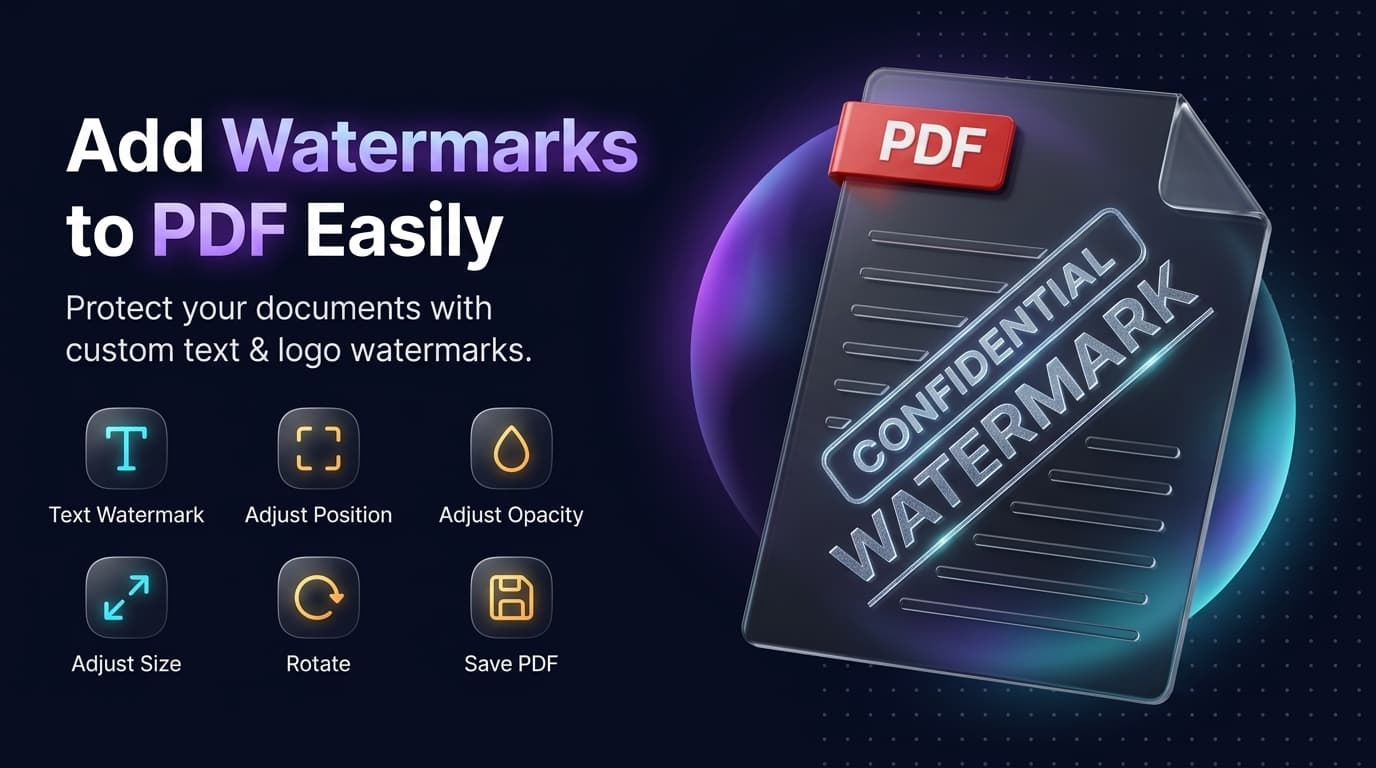
Client-Side Utility
Execute this tool right now in your browser
Protecting confidential documents, contracts, and creative work requires clear attribution before sharing files across the web. When you distribute an unsecured PDF, anyone can copy, screenshot, or republish your content without permission. Using a free PDF watermark adder, you can imprint copyright notices, brand logos, or status stamps across your document in seconds.
Why Should You Add a Watermark to a PDF?
Applying a watermark serves both visual branding and cybersecurity functions:
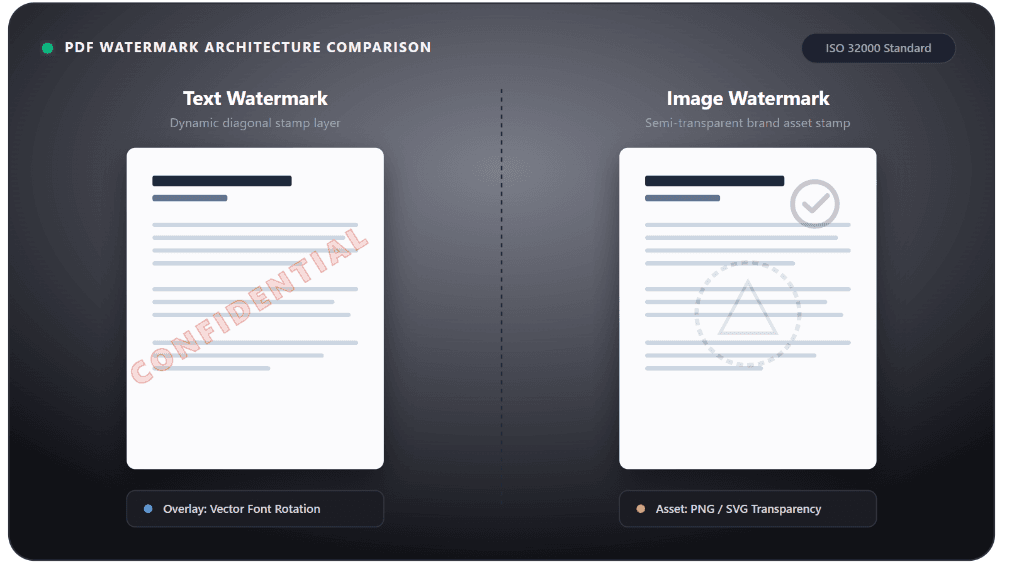
- Intellectual Property Protection: A clear copyright mark discourages unauthorized reuse of eBooks, research reports, and creative assets.
- Status Communication: Tags like DRAFT, SAMPLE, VOID, or FOR REVIEW ONLY prevent recipients from acting on outdated or incomplete versions.
- Leak Attribution: Stamping client-specific names, timestamps, or email addresses onto confidential files creates an audit trail that deters internal leaks.
- Brand Visibility: Placing a transparent corporate seal or logo across proposals reinforces brand identity across every downloaded copy.
How to Add a Watermark in PDF for Free Online (4 Simple Steps)
You do not need expensive software like Adobe Acrobat Pro to protect your documents. Modern browser-based PDF watermark add online tools handle the process directly in your browser. [Upload PDF File] ➔ [Choose Text or Logo] ➔ [Adjust Opacity & Angle] ➔ [Download Stamped PDF]
How to Add a "DRAFT" Watermark to a PDF
Adding a status stamp like "DRAFT" is one of the most common document workflows. Follow these guidelines to maintain a clean, professional aesthetic:
- Select a Bold Sans-Serif Font: Use high-legibility typefaces like Arial, Helvetica, or Montserrat. Light script fonts vanish when transparency is applied.
- Choose Neutral Colors: Avoid harsh solid black (#000000) or blinding red. Instead, select neutral slate gray (#555555 or #777777) to keep the document readable.
- Set the Rotation to 45°: Spanning the word "DRAFT" diagonally from bottom-left to top-right ensures it cannot be removed with simple edge cropping.
- Behind Text (Background Substrate): Keeps table cells and numbers perfectly sharp, but dark images on the page may conceal the watermark.
- Over Text (Foreground Overlay): Guarantees the mark cannot be covered, but requires opacity below 15% to maintain reading comfort.
How to Add a Logo or Image Watermark to a PDF
If you represent a business or agency, adding a brand logo delivers a more polished look than plain alphanumeric text:
- Always Use Transparent PNGs: Never upload a JPEG with a solid white rectangle around the graphic. A 24-bit PNG with an alpha channel ensures only your logo glyphs appear on the page.
- Maintain Proportional Scaling: Lock your logo's aspect ratio so it does not distort on landscape sheets or spreadsheets.
- Keep Logos Subtle: Large, opaque graphics distract readers. Set image transparency to approximately 10% to 12% so text underneath remains accessible to scanners and human eyes alike.
Top Free PDF Watermark Tools Compared
Compare how leading PDF watermarking utilities handle processing security, free tiers, and feature capabilities:
| Tool | Processing Type | Best Feature | Free Tier Limitations |
|---|---|---|---|
| Web Utilities (Compixor AI) | 100% Client-Side RAM | Fast, zero-install, clean interface, 100% private | Single file processing |
| iLovePDF Watermark | Cloud Server | Extensive typography and page-selection options | Hourly task limits on free accounts |
| Sejda PDF Watermark Add | Cloud Server | Fine-grained offset controls and visual editor | 3 tasks per day, max 50 MB files |
| PDF Candy Watermark Add | Cloud Server | Simple one-click execution | Wait times between tasks for free users |
| Soda PDF | Cloud / Desktop | Rich suite with extensive editing options | Ads and upgrade prompts on free tier |
| PDF-XChange Editor | Local Desktop (Windows) | Powerful offline page-range targeting and air-gapped security | Desktop install required; advanced features need license |
Advanced Placement: PDF Background Watermark vs. Page Watermark
Understanding how PDF renderers construct pages helps you pick the right layering method:
- PDF Background Watermark Add: Placing the watermark on the background layer puts your stamp underneath the text and image objects. This is ideal for lengthy financial statements and balance sheets where every decimal point must remain unobstructed, and legal briefs requiring pristine optical character legibility.
- PDF Page Watermark (Foreground Overlay): Placing the watermark on top of the page elements ensures complete surface coverage. Crucial for design proofs, CAD drawings, and slide decks containing full-width images or color blocks that would otherwise conceal a background mark. Provides stronger anti-tampering protection against casual screen captures.
Security Tip: Flatten Your PDF to Prevent Watermark Removal
Many users do not realize that standard watermarks added online exist as separate, editable vector layers inside the PDF syntax. Anyone with a free vector editor or an advanced PDF editor can open the document, select the watermark layer, and delete it with a single keystroke. To make your watermark permanent: • Flatten the PDF: Use a "Flatten PDF" tool after applying your watermark. • How It Works: Flattening fuses the text layers, graphics, and watermark into a single, unified raster plane. • The Result: The watermark cannot be isolated, unlinked, or deleted without noticeably altering the surrounding content.

How to Use in 3 Simple Steps
Upload Your File to a Free PDF Watermark Adder
Navigate to your preferred online PDF watermark tool. Drag and drop your document into the upload pane, or select it directly from your device storage. Quality platforms use end-to-end HTTPS encryption and wipe files automatically from temporary memory after processing.
Choose Text or Image Overlay
Select the type of watermark you wish to embed: Text Watermark: Type your desired label (e.g., CONFIDENTIAL, DO NOT COPY, or recipient email), or Image / Logo Watermark: Upload a vector or transparent PNG asset directly from your computer.
Configure Position, Angle, and Opacity
Use the interactive alignment grid to place the watermark: Placement (Choose Center, Diagonal, Header, or Footer), Angle (A 45-degree oblique slant offers the strongest protection because it cuts across multiple lines of text), and Transparency (Set opacity between 10% and 15% so the mark remains clearly visible without making the underlying paragraphs difficult to read).
Process and Download the Watermarked PDF
Click Add Watermark or Process PDF. The rendering engine binds your watermark into the file's content stream. Once finished, click Watermark PDF Download to save the secure document to your drive.
Experience How to Add a Watermark to a PDF for Free: The Complete Step-by-Step Guide
Zero file uploads, no watermarks, and no sign-up required. Your files remain completely secure in device RAM.
Launch Tool in Browser